LI

FreeFlex Module enclosure

TBD
Owning Partner
Starts
Ends

Details

FreeFlex is a solution that provide an easy way to monitor the workspace availability and usage

based on sensors and real time application it provide data analytics, management efficiency , workers satisfaction , energy savings.

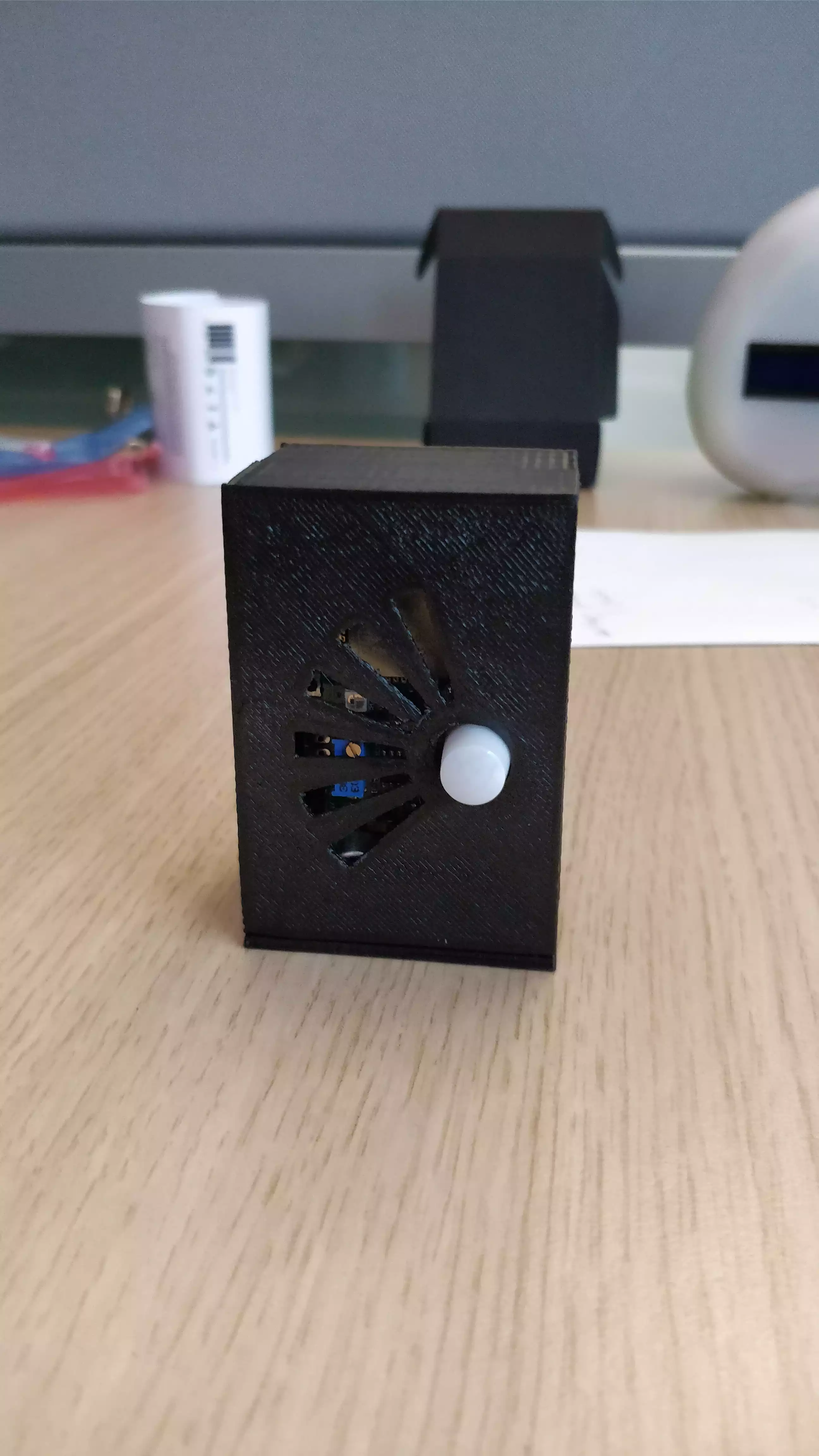
We have designed our first modules and we are looking for industrialization, we need a final product design enclosures

Attached are the version 2 prototype 3d printed

our needs

  • Enclosure should be stable as it can be used on a desk or in meeting room without mounting needs on walls
  • It should be light and user friendly
  • Since it contains sensors, air holes are needed.
  • Energy input is a usb micro plug
  • Presence sensors and noise sensor are used , as seen in the pictures they will need specific design
  • an IP67 version will be needed in a second phase

Who can create a challenge?

  • If you want to publish a challenge on the NokiaPartners - Open communities and get support from the community to solve your problems, you first need to be registered on the platform. Then you need to contact the NokiaPartners - Open communities administrator in the Community section. They will create the challenge for you. Search for “admin” in the Community section, and click on “Nokia Admin” to contact and ask for your challenge to be created.


How do I submit an answer/proposal?

  • To contribute to a challenge, first open the challenge page, and then click on the "start proposal" button on the right-hand-side. A new page will appear with different text fields to fill in and attachments to include. You can also link to an existing project you have previously created on the platform. Once you have finished, click on submit.
  • If you save as draft, your submission will not be completed and will not be submitted to the challenge owner.


What happens once I submit?

  • Once you have submitted your proposal, your ‘Challenge Submission Form’ becomes accessible by the creator or the challenge, who can see and edit your proposal. Through the challenge page, only the owner of the challenge can see the different proposals submitted against his/her challenge. It is up to the challenge owner to inform participants about decisions and potential next steps.
  • To note, when you save a submission as draft, it is not submitted to the challenge owner.


Who can see my proposal?

  • The owner of the challenge, the submission review committee, and the NokiaPartners - Open communities Administrator team are the only ones who can see your proposed ideas and solutions to the challenge.


What happens if my proposal is successful?

  • For each challenge, submission review and selection process is different and the responsibility of the challenge owner. If your project is selected, the owner of the challenge will come back to you with further guidance on the next steps.


What happens if it is unsuccessful?

  • For each challenge, submission review and selection process is different and the responsibility of the challenge owner. If your project is not shortlisted, the owner of the challenge will inform you using the messaging features of NokiaPartners - Open communities. Your proposed ideas will then be removed/deleted from challenge submissions.